
Workflow — Step 3 of 6Coming soon
Invite bidders and track every response.
Send invitations straight from the package you just built, keep bidder lists organized by trade, and see who opened, who committed, and who still needs a nudge.
3 invitations sentMatching 128 subs in your networkAdd bidderInvite all
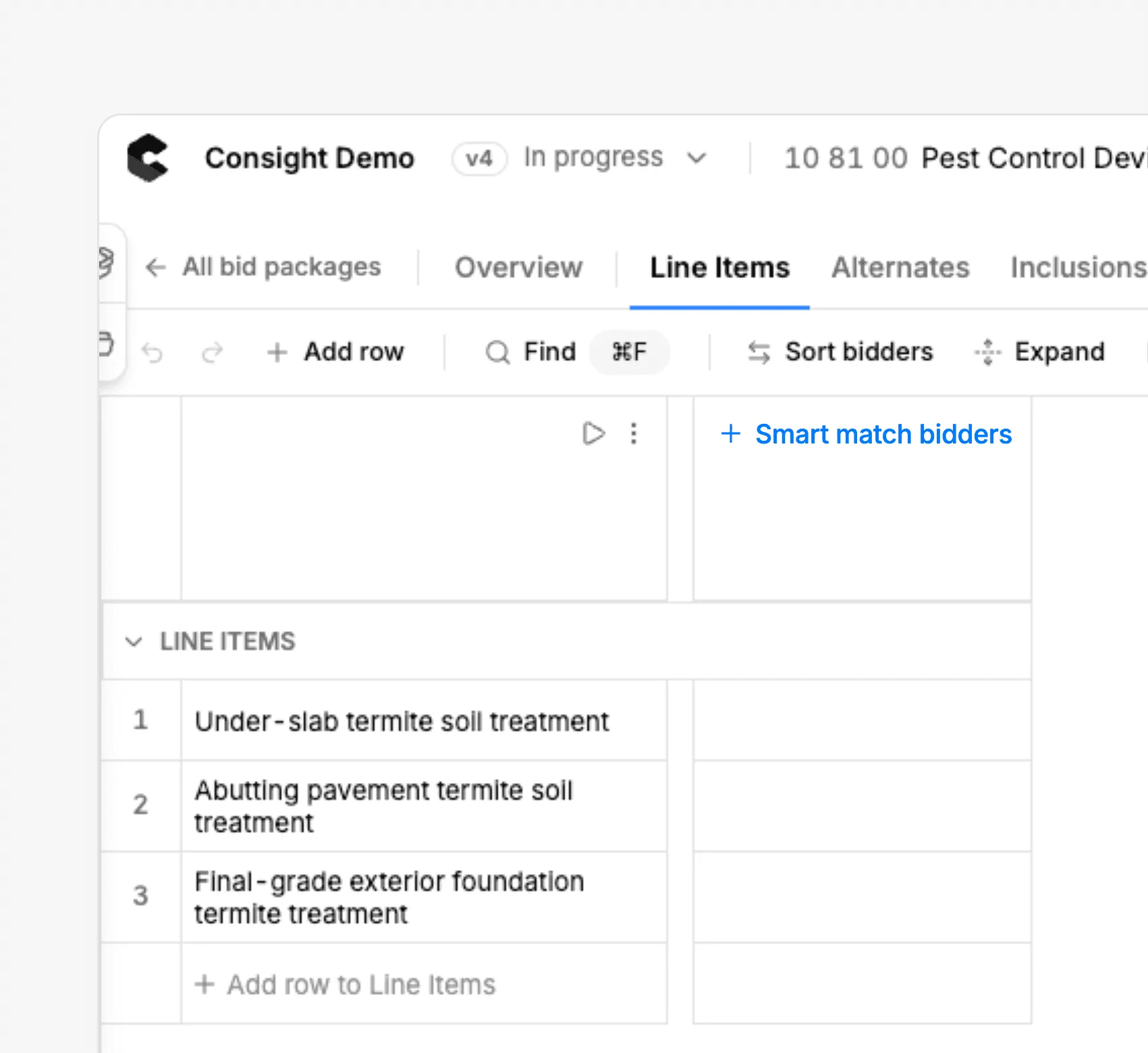
Find bidders · 31 00 00 Earthwork
10 line items · no bidders yet
Line items
1Site preparation
2Clearing and grubbing
3Hazardous soil removal
4Flatwork demolition
5Erosion control
Site preparation Subtotal
6Earthwork and grading
7Earthwork mobilization
8Site mass grading
9Pad overexcavation
10Subgrade preparation
Earthwork Subtotal
Leveled total
PG
Pacific Grading
96% fit
Mass grading to 40,000 cy
3 similar pads since 2024
Read more
InviteInvited
—
—
—
—
—
—
—
—
—
—
HE
Hillside Earthworks
93% fit
Geotech overexcavation
Bonded to $5M
Read more
InviteInvited
—
—
—
—
—
—
—
—
—
—
SE
Summit Excavation
89% fit
Site prep and grading
Within 25 mi of site
Read more
InviteInvited
—
—
—
—
—
—
—
—
—
—
3 invitations sentMatching 128 subs in your networkInvite all
Find bidders
31 00 00 Earthwork · no bidders yet
PG
Pacific Grading
InviteInvited
96% fit
Mass grading to 40,000 cy
3 similar pads since 2024
HE
Hillside Earthworks
InviteInvited
93% fit
Geotech overexcavation
Bonded to $5M
SE
Summit Excavation
InviteInvited
89% fit
Site prep and grading
Within 25 mi of site
Invite Bidders
Get the right subs to the table, then track who is actually bidding
- Invite by trade from the package
- Reusable bidder lists per market
- Prequalified subs surfaced first
- Trade-specific invitation emails
- Automatic reminder follow-ups
- Tracks opens, commits, and declines
- Coverage gaps flagged by trade
- Bidder contacts kept in sync
- Full invitation history per package
Invitations and reminders
Invitations that go out in minutes, not an afternoon
Pull contacts from your bidder list, send trade-specific invitations with the right documents attached, and let reminders chase the stragglers for you.
Learn more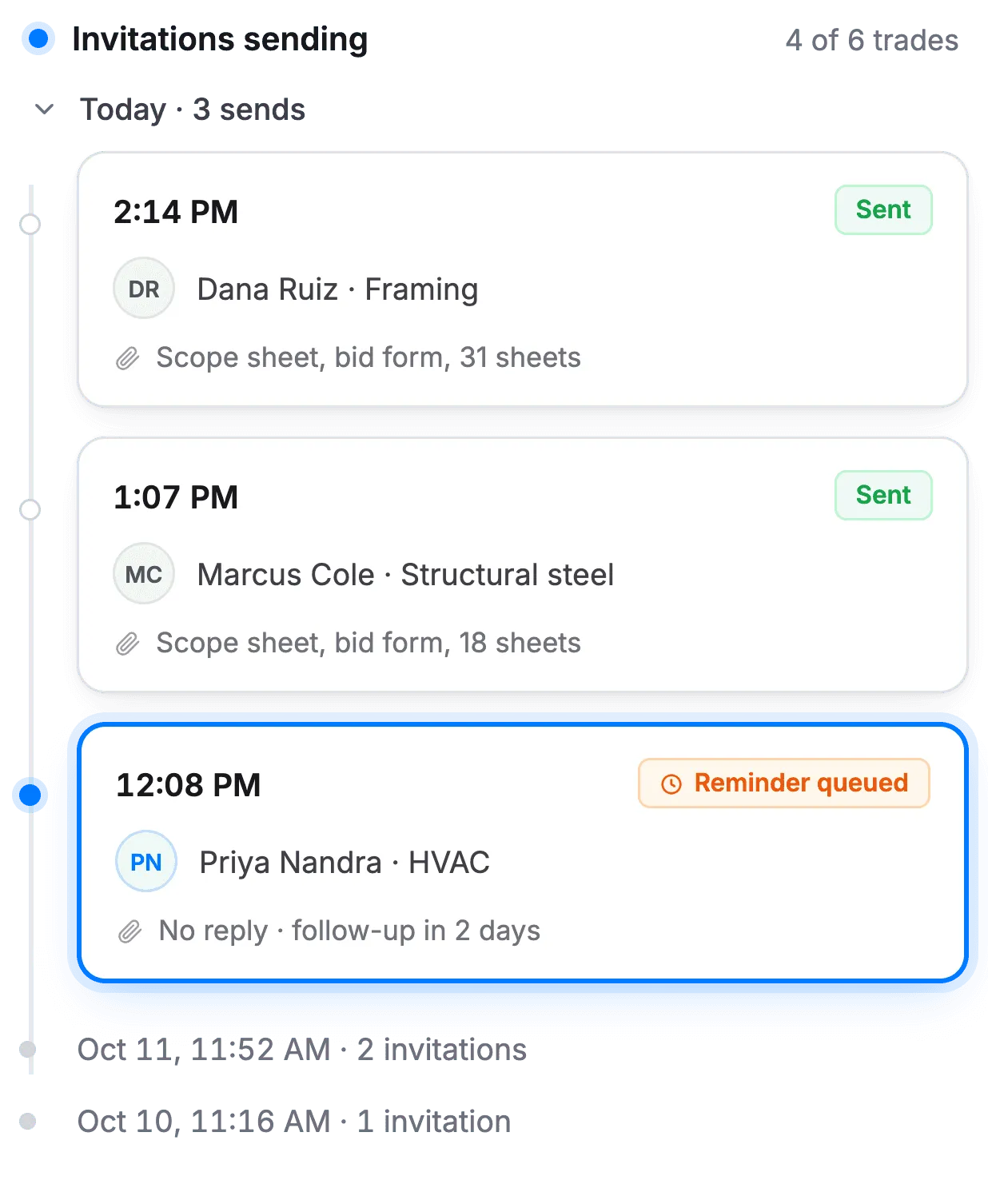
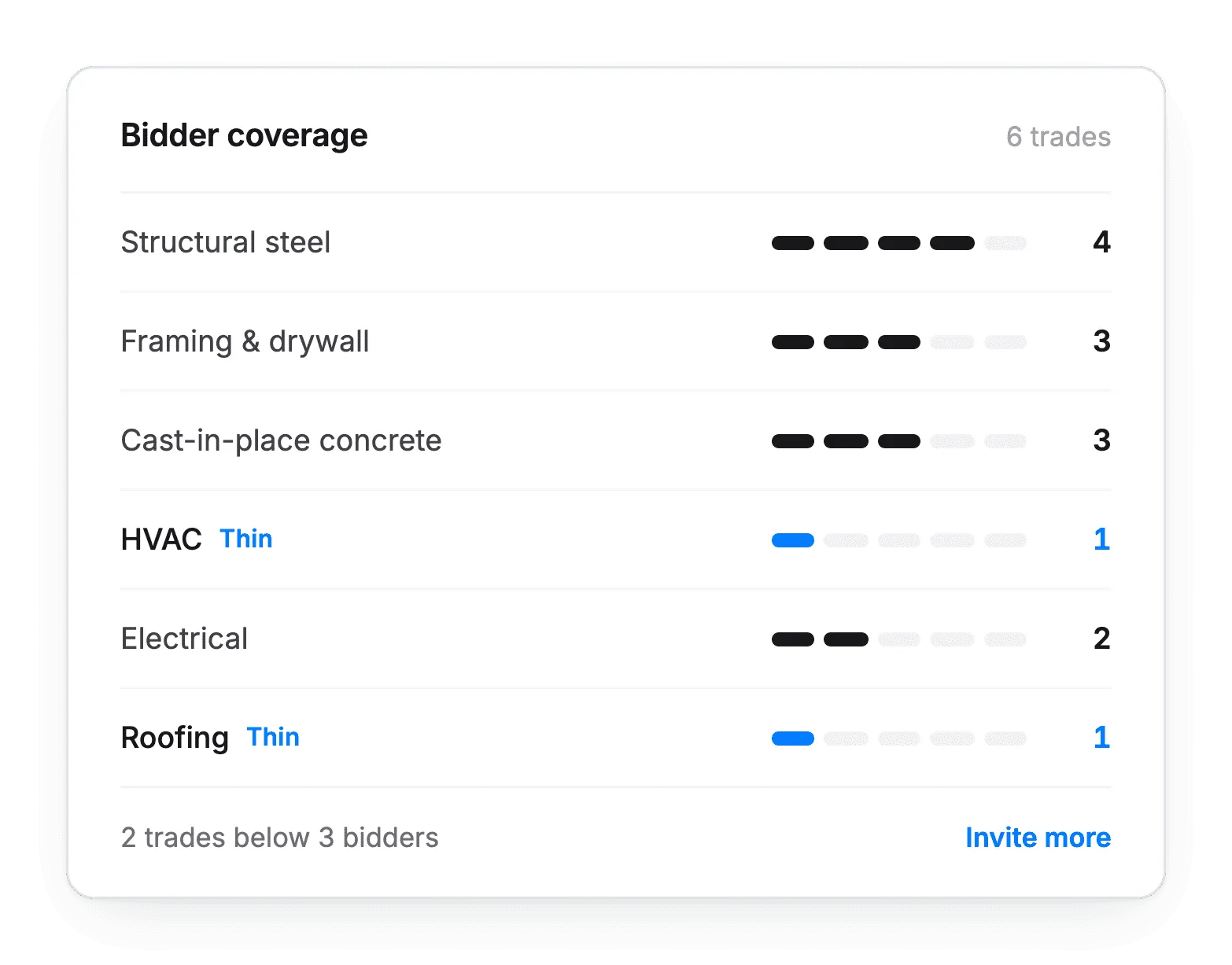
Bidder coverage
See how many bidders you have per trade and where you are thin, before bid day makes the decision for you.
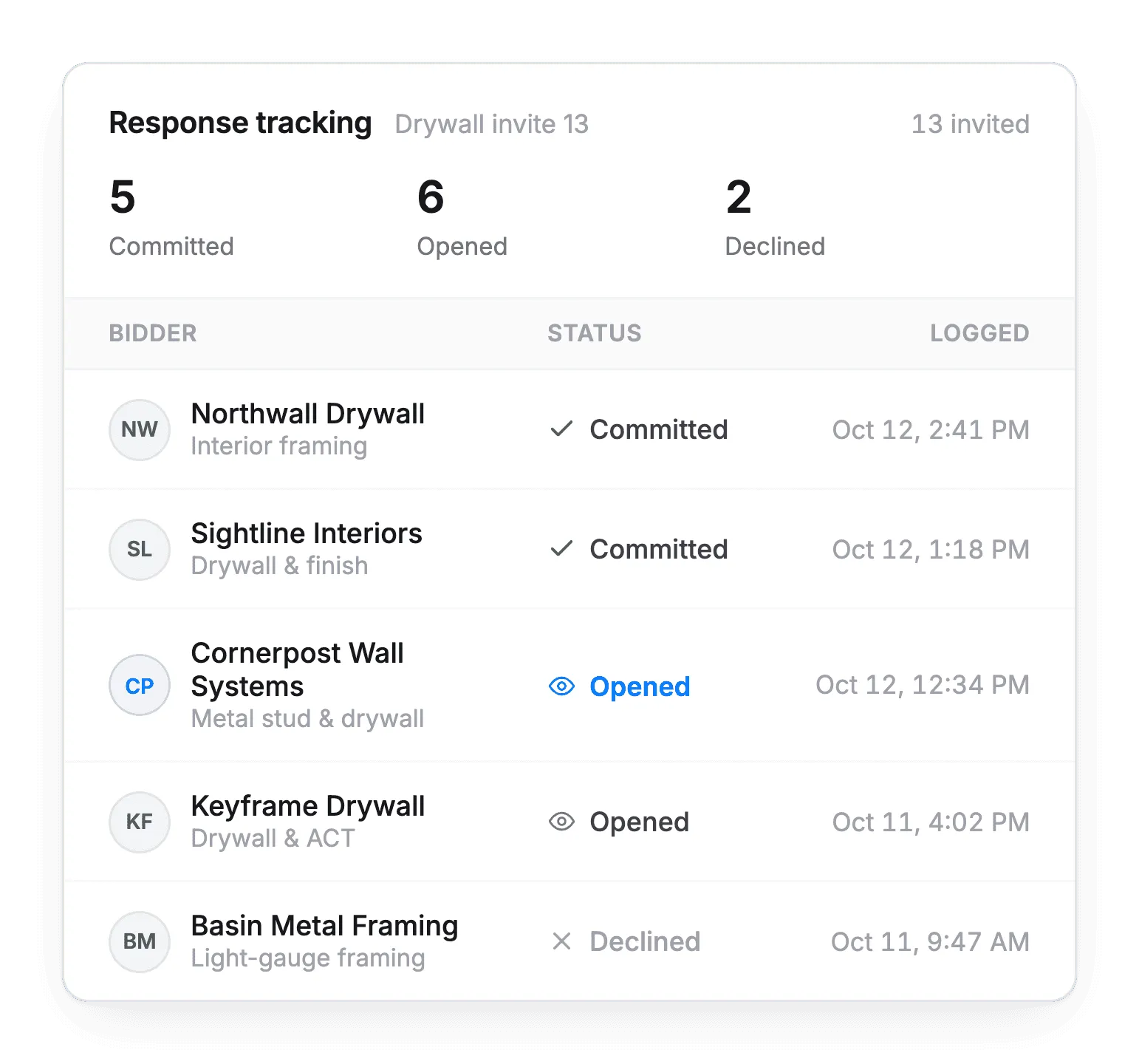
Response tracking
Know who opened the invitation, who committed, and who declined, with everything logged against the package.
Up next — Step 4 of 6
Level bids side by side
Compare every bid against the same scope, with plugs and exclusions accounted for.
Bidder invitation questions
Is bidder invitations available in Consight today?
Bidder invitations are coming soon. Today, most teams invite bidders in BuildingConnected, and submitted bids sync into Consight automatically.
How will bidder invitations work?
You'll send trade-specific invitations straight from the bid package you built, with the right documents attached, using reusable bidder lists organized by trade and market.
Will Consight send reminders to subcontractors?
Yes. Automatic reminder follow-ups will chase bidders who haven't responded.
Can I see who is bidding?
Yes. Consight will track who opened the invitation, who committed and who declined, with the full history logged against the package.
How will I know if a trade is thin on bidders?
Consight will show how many bidders you have per trade and flag coverage gaps before bid day.
Will prequalified subcontractors be prioritized?
Yes. Prequalified subcontractors will be surfaced first when you build an invitation list.