
Workflow — Step 5 of 6
The scope sheet that replaces your spreadsheet.
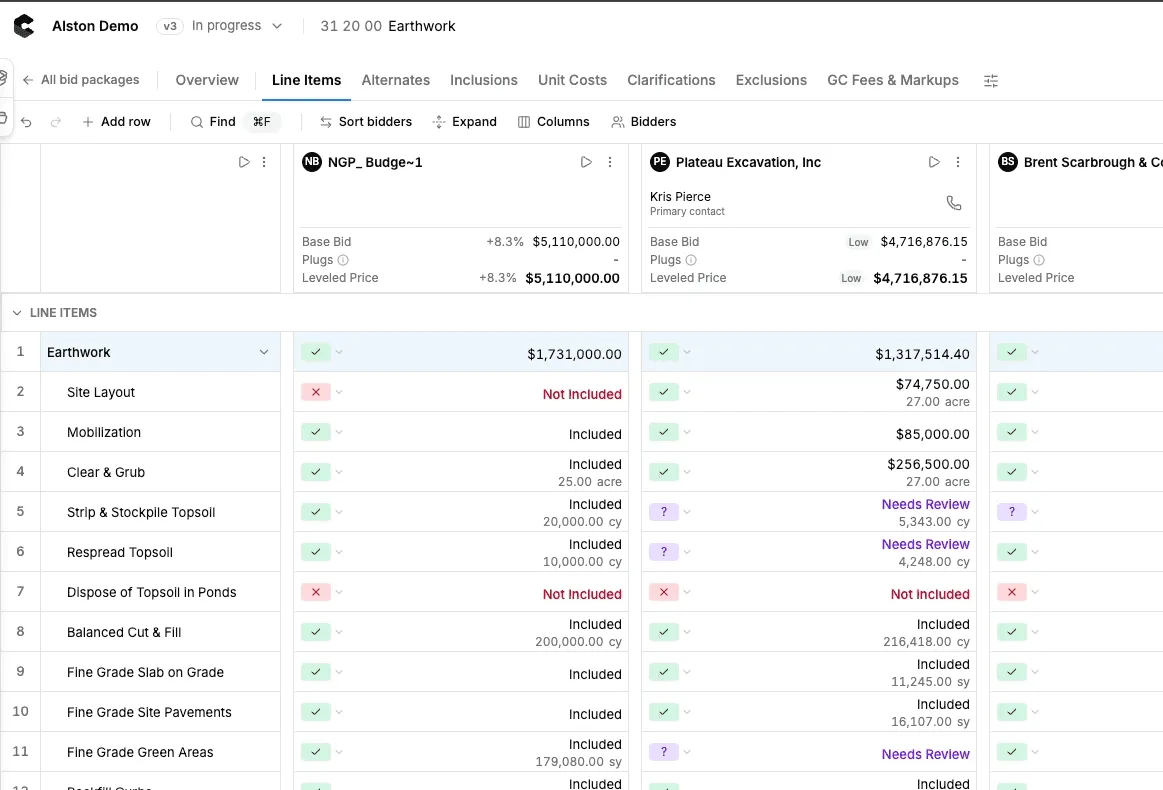
Consight ingests every sub bid, pulls the numbers and qualifications out automatically, and lines them up against your scope of work in a sheet that still feels like Excel.
Review Your Scope Sheet
All the control of Excel, none of the manual data entry
Bids land in the sheet already parsed and matched to scope lines. From there your team edits, annotates, and plugs numbers exactly the way it always has.
- Ingests sub bids automatically
- Extracts pricing and qualifications
- Matches lines to your scope of work
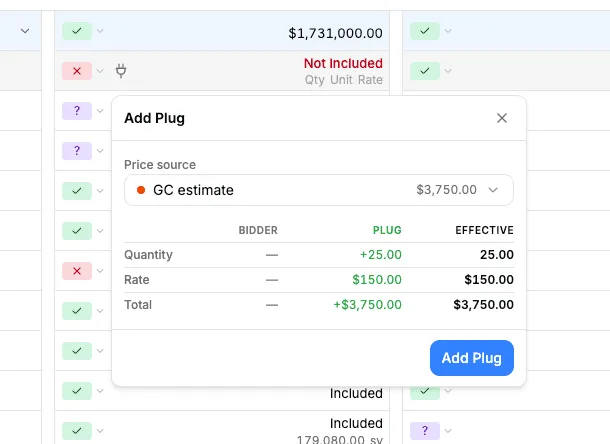
- Add plugs for missing scope
- Hide or show bidders instantly
- Leave comments on any cell
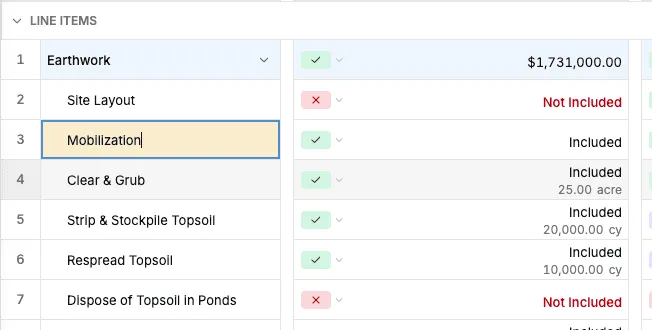
- Edit and highlight cells like Excel
- Formulas and totals stay live
- Export the sheet to Excel
Automatic extraction
Every proposal parsed into rows before you open the sheet
Consight reads each bid as it arrives, pulls out pricing, inclusions, exclusions, and qualifications, and places them on the scope line they answer.
Learn more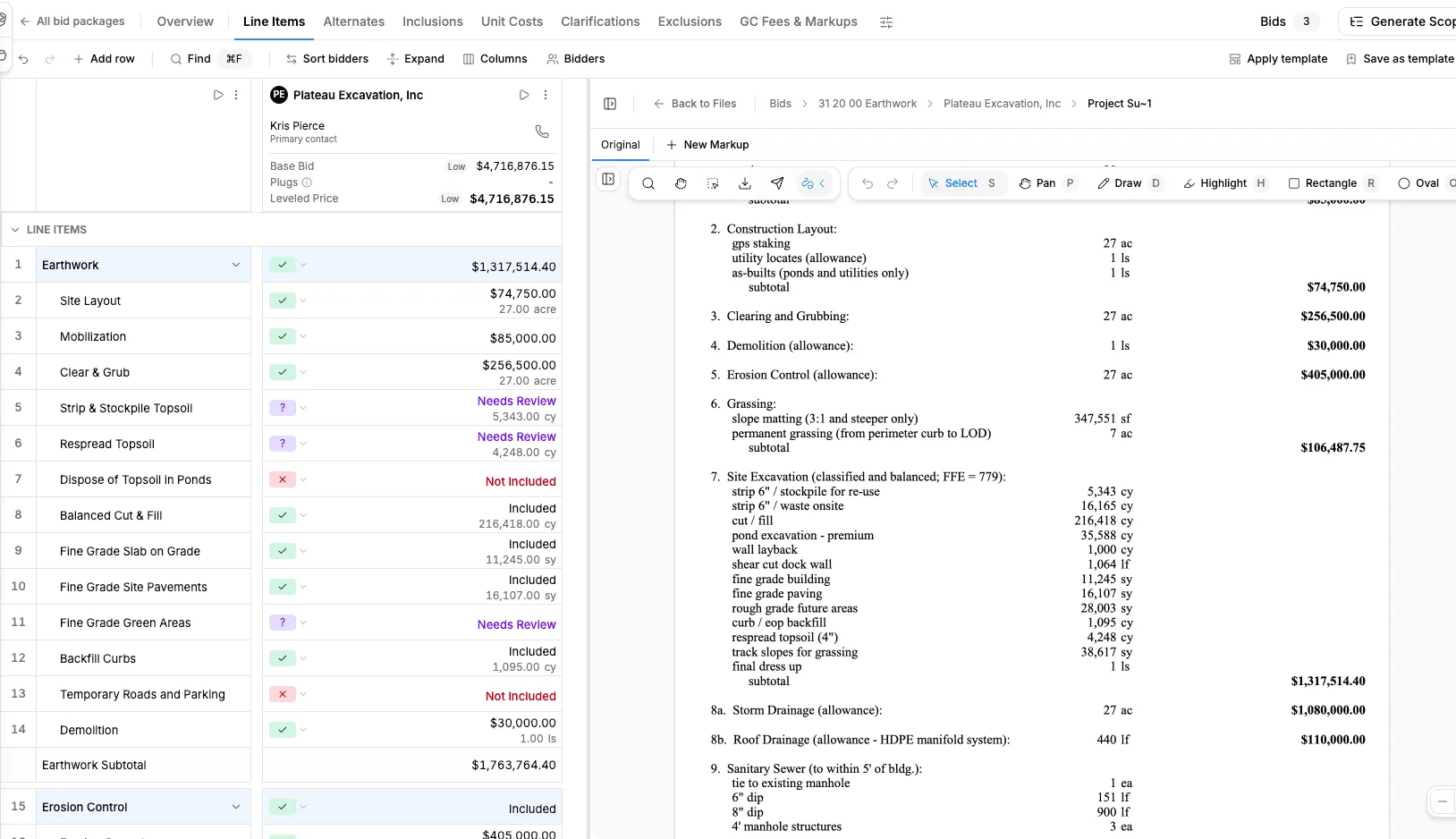
Plugs, comments, and bidder views
Add plugs where scope is missing, hide bidders you are not considering, and leave comments so the whole team reviews in one place.
Familiar spreadsheet editing
Type over any cell, highlight what needs attention, and keep totals updating live — no exports or version chasing.
Up next — Step 6 of 6
Create the bid report
Turn your leveled comparison into a clean report your team and owner can sign off on.