
Excel + Consight
Keep Excel. Stop retyping bids into it.
Consight imports your Excel estimate or takeoff, reads every subcontractor bid whether it arrives as a PDF, spreadsheet or Word file, levels it on one scope sheet, and exports a clean bid tab back to Excel whenever you need it.
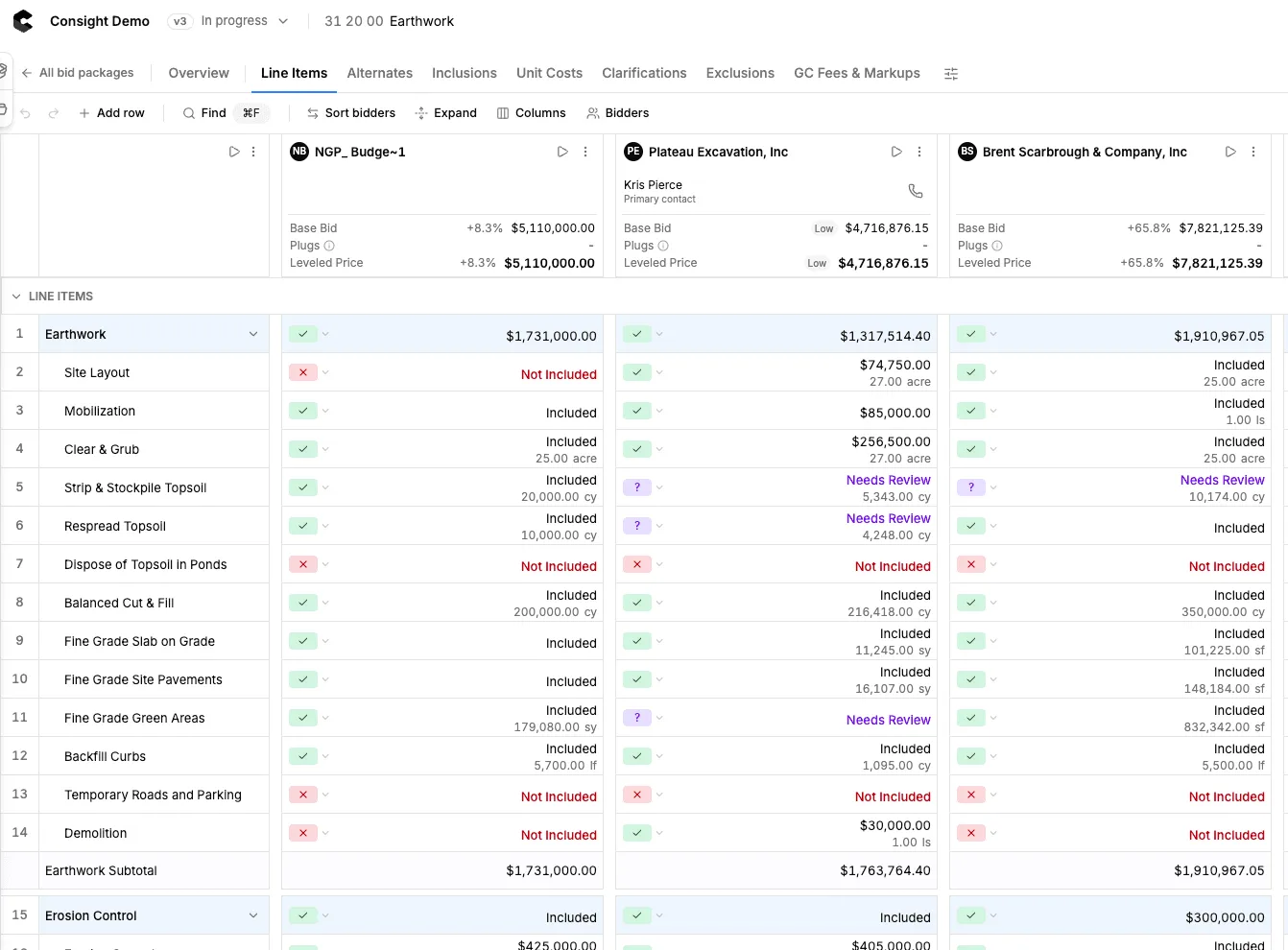
Excel in, Excel out. The retyping in between goes away.
Upload your internal estimate or takeoff from Excel, Bluebeam or OST and Consight turns each line into a scope item. Bids arrive as PDFs, spreadsheets, Word documents or scans, and Consight reads them onto the same scope sheet, with every extracted number traced back to the proposal. When you need a spreadsheet for the owner or your files, export the scope sheet or the whole project to Excel.
See the scope sheet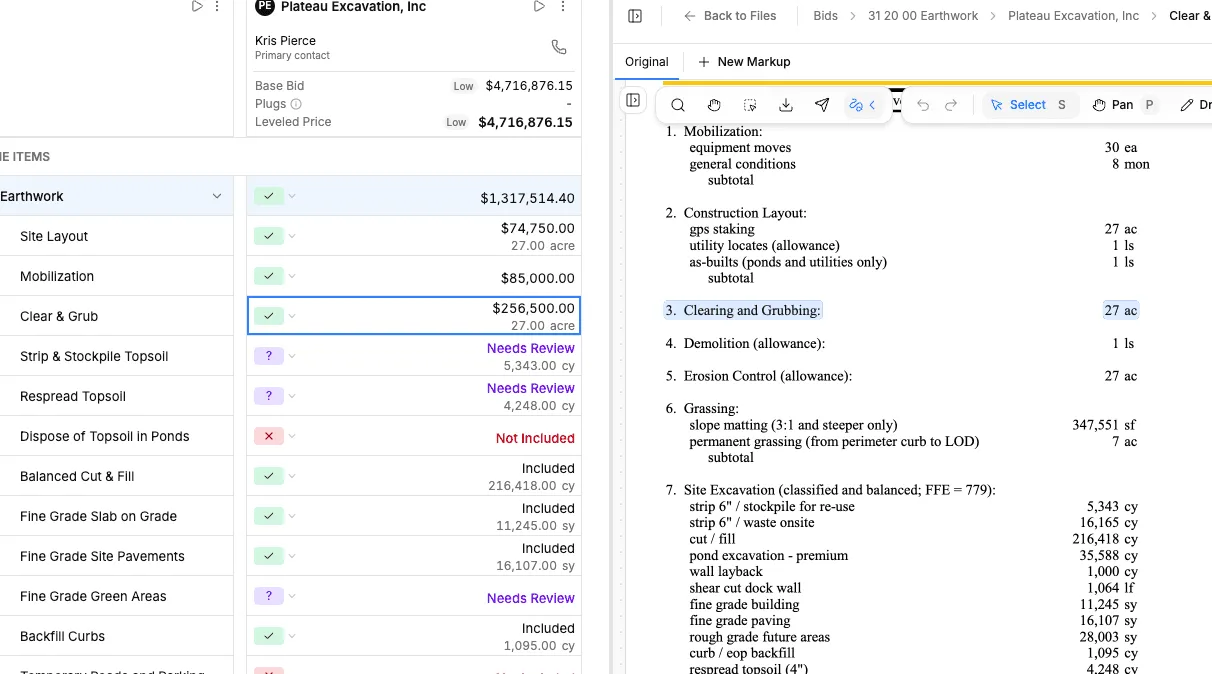
What Consight does with your spreadsheets
- Imports internal estimates and takeoffs from Excel
- Reads takeoffs from Bluebeam and OST
- Reads subcontractor bids sent as Excel, PDF or Word
- Turns each estimate line into a scope item
- Maps every bidder line back to your scope
- Structured math instead of fragile formulas
- Shows the source behind every extracted number
- Exports a scope sheet or full project to Excel
Generate the scope sheet before bid day.
Clear scope before the bids go out makes leveling easier when they come back. Import the estimate you already built in Excel, or upload the plans and specifications and Consight drafts your subcontractor scope sheet. Add company standards and estimator judgment, then level every bid against that same scope.
See scope generation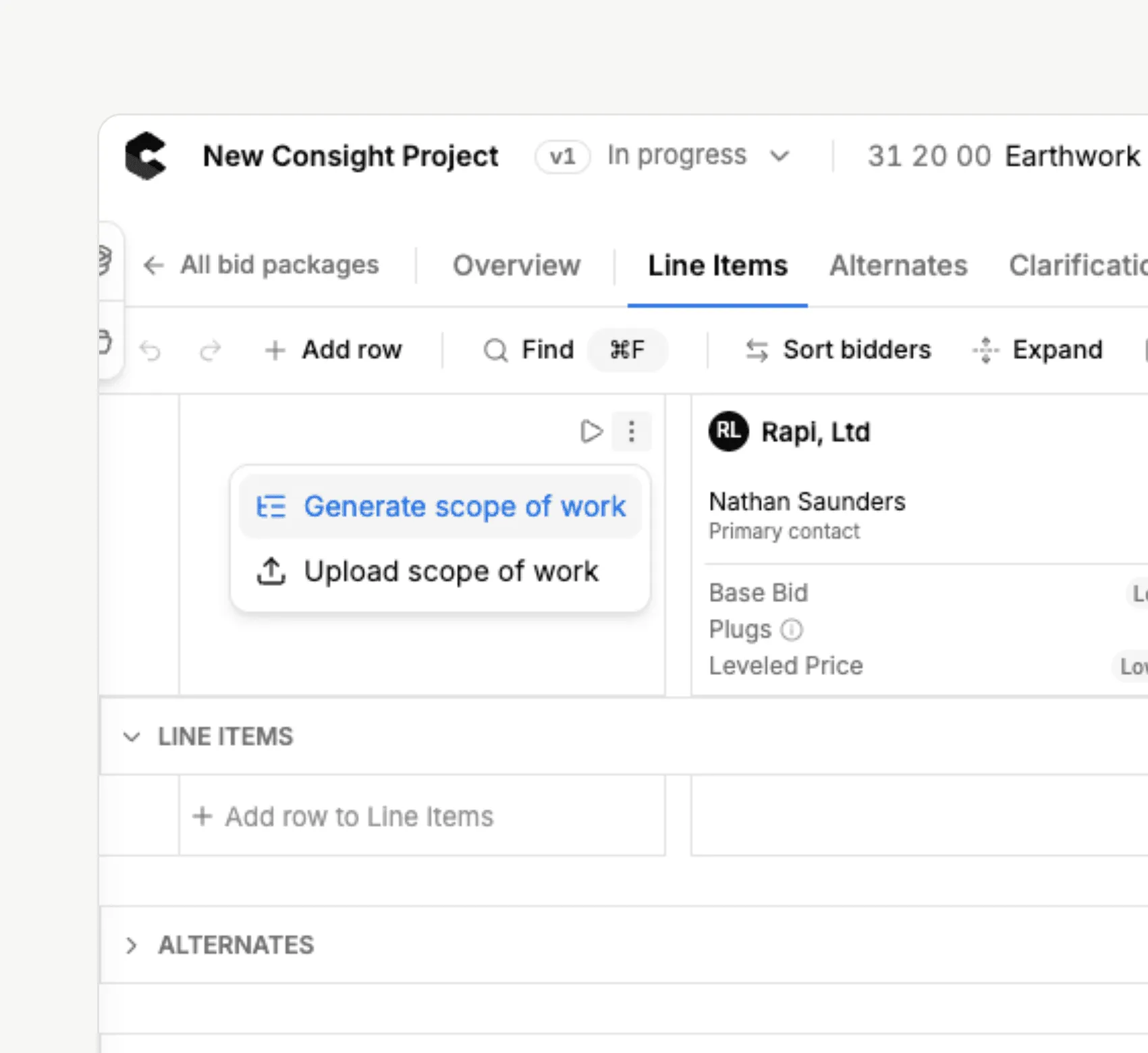
How it works
From spreadsheet to leveled bid tab
Import your estimate
Upload your Excel estimate or takeoff when you create the bid package, or click Import Scope inside the scope sheet.
Upload bids as they arrive
Drop in PDFs, spreadsheets or Word files. Each bid is processed in about a minute and gets its own bidder column.
Run Level Bids
Consight matches every bidder item to your scope and sorts inclusions, exclusions, alternates and qualifications.
Export to Excel
Export a scope sheet or the full project whenever you need a spreadsheet. Your data stays in Consight.
Side by side
Excel bid tabs and Consight do different jobs
Setting up the tab
Excel bid tabRetype line items for every package
ConsightImport your estimate, scope lines created for you
A new bid arrives
Excel bid tabCopy, paste and re-check formulas
ConsightRead and mapped to your scope automatically
Exclusions
Excel bid tabBuried in the proposal until someone reads it
ConsightPulled out and shown on the line they affect
Where a number came from
Excel bid tabWhoever typed it
ConsightView in Bid jumps to the source
Several estimators at once
Excel bid tabEmailed copies and version conflicts
ConsightOne live scope sheet with autosave
The final bid tab
Excel bid tabRebuilt by hand
ConsightExported to Excel
Not ready to give up the spreadsheet?
You don’t have to. Consight imports what you already have and exports back to Excel, so estimators keep the format they know while the reading, matching and plugging happen on one scope sheet.
Read the Excel bid tab alternative
Built for the realities of subcontractor bid leveling
- Last-minute bids, leveled without retyping the bid tab
- Revised bids compared without losing earlier versions
- Exclusions that make the low bidder not actually low
- Scope gaps between bidders and trades, caught before buyout
- Alternates and breakouts kept apart from the base bid
- Bid citations to verify every AI-extracted number
- Plugs and adjustments that preserve the original price
- One live scope sheet for every estimator on the job
- Excel exports whenever you need them
Consight gives our team a more consistent way to catch scope gaps before award.




Excel and bid leveling FAQ
Can Consight import my Excel estimate?
Can Consight read subcontractor bids sent in Excel?
Can I export from Consight to Excel?
Is there an Excel bid leveling template?
Is Consight a replacement for Excel bid tabs?
Do my estimators have to stop using Excel?
Does it work with BuildingConnected and Procore too?
Keep reading