
Bid leveling
Bid leveling software built around the scope sheet
Every proposal lands on the same scope sheet — same line items, same units, same quantities. You see what each sub carried, what they left out, and what it costs to make the numbers comparable.
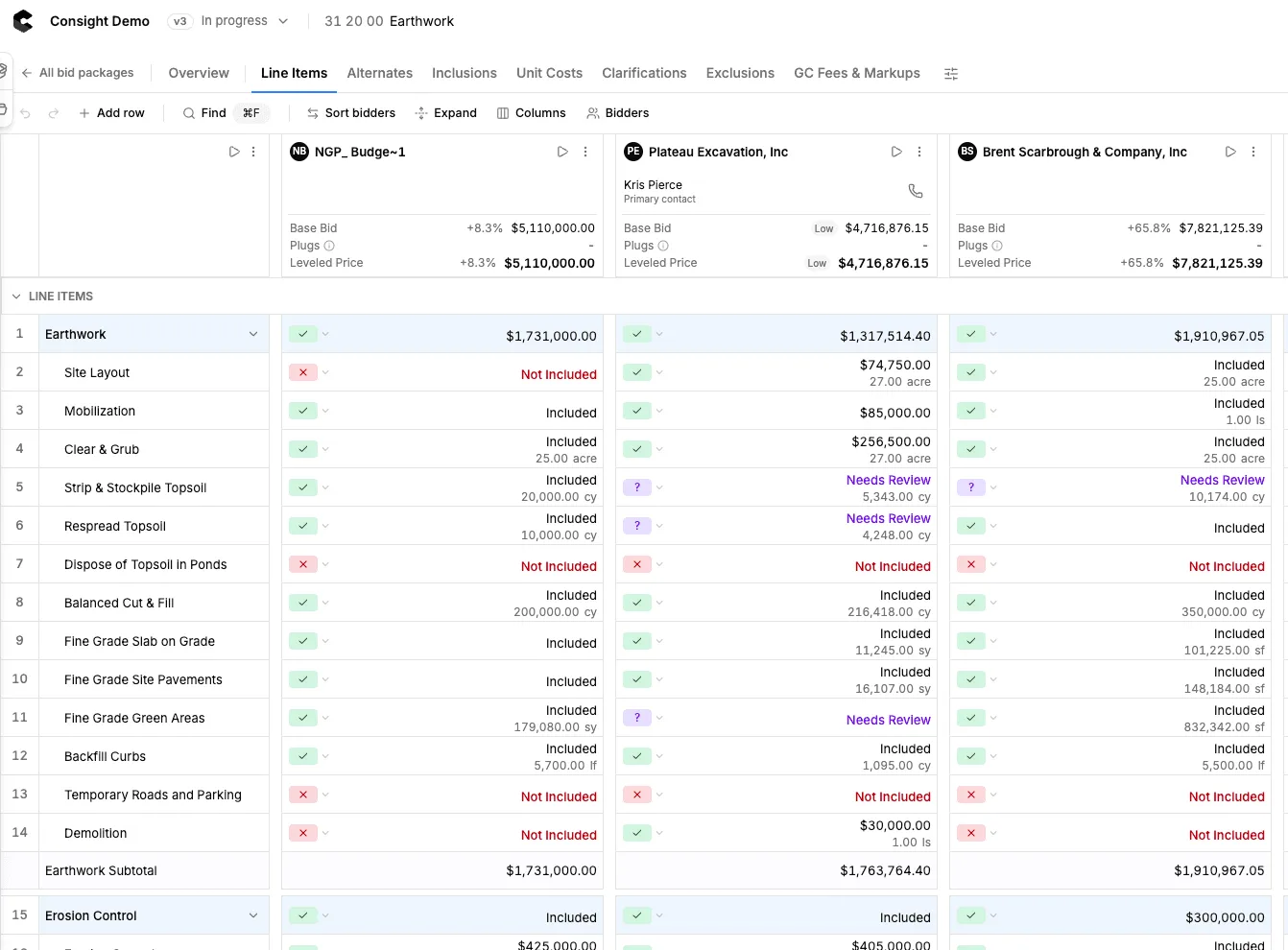
What it actually takes to make two bids comparable
- Reads proposals in PDF, Excel, or an email body
- Maps every bid line back to your scope
- Normalizes units and quantities
- Surfaces exclusions, allowances, and alternates
- Lets estimators plug missing scope so totals compare
- Flags outliers against your internal estimate
- Keeps every bid revision as a version
- Keeps every adjustment editable by the estimator
- Exports a clean bid tab for the owner
One scope sheet, every bidder on it
Bidders get their own column and your internal estimate stays in view. When a sub prices a line differently or leaves it out, the difference shows up as a number instead of a note in the margin.
See the scope sheet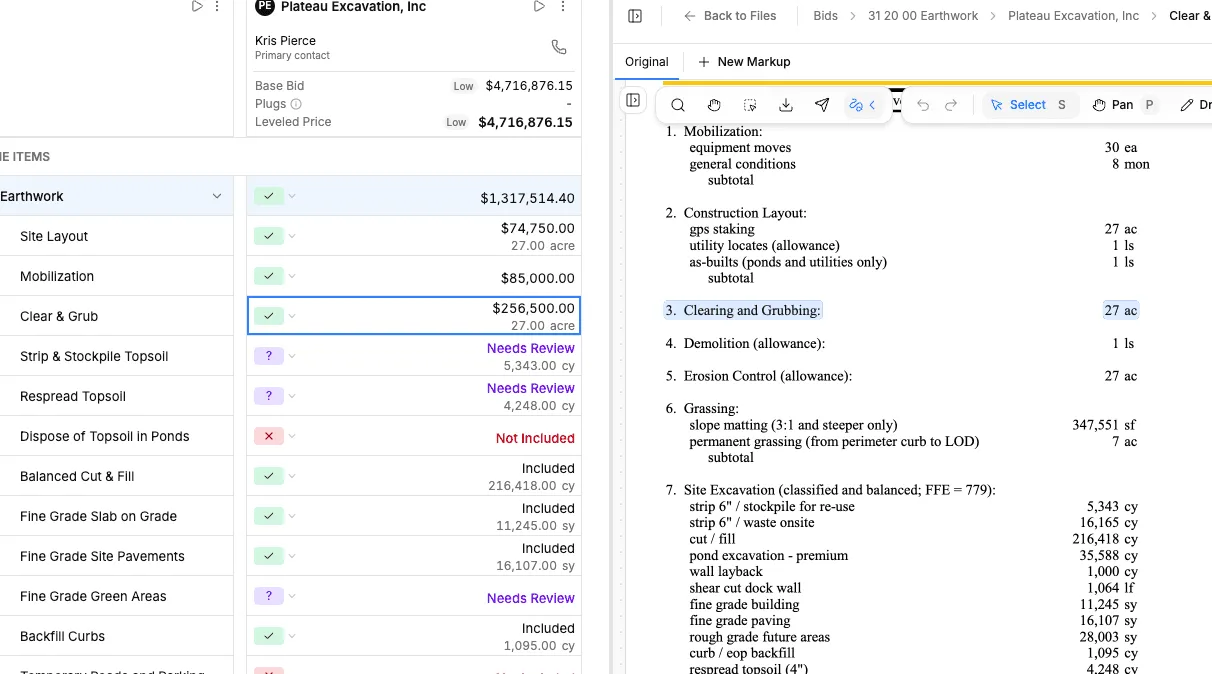
How it works
Where leveling sits in a normal bid day
Set the scope
Build the scope sheet for the package from your drawings, specs, and past jobs. It becomes the spine every bid is measured against.
Collect proposals
Forward bids as they land — PDF, spreadsheet, or pasted into an email. Revisions attach to the same bidder.
Level against scope
Each proposal is mapped line by line to the scope sheet. Exclusions and missing work get plugged so totals compare fairly.
Review and award
Work the gaps, make the calls, adjust what you disagree with, and export the bid tab you hand to the owner.
Side by side
Leveling in a spreadsheet vs. leveling in Consight
Setting up the tab
Spreadsheet bid tabRetype line items for every package, every job
ConsightScope sheet carries over and adapts to the package
A new bid arrives
Spreadsheet bid tabCopy, paste, re-sort, re-check the formulas
ConsightDropped in and mapped to the existing scope lines
Exclusions
Spreadsheet bid tabBuried in the proposal PDF until someone reads it
ConsightPulled out and shown against the line they affect
Missing scope
Spreadsheet bid tabEasy to miss until a change order shows up
ConsightFlagged and plugged so totals stay comparable
Where a number came from
Spreadsheet bid tabYou trust whoever typed it
ConsightClick any cell and see the source proposal
Revised bids
Spreadsheet bid tabNew file, new tab, new version confusion
ConsightA new version for the same bidder, with the earlier one kept
The software levels. The estimator still decides.
Consight does not pick a winner. It removes the retyping and the reconciliation so the estimator can spend the time on scope calls, coverage questions, and the trades that actually carry risk.
Built for estimators
Consight gives our team a more consistent way to catch scope gaps before award.




Built for $50M to $5B+ commercial general contractors
Consight is used by ENR-ranked and regional GCs, and its largest customers are $500M to $5B+ general contractors. Preconstruction teams at Clayco, Gray Construction, Alston Construction, W.M. Blanchard and NRP use Consight to put every bid package through the same review, whichever estimator runs it.
See how large GCs use Consight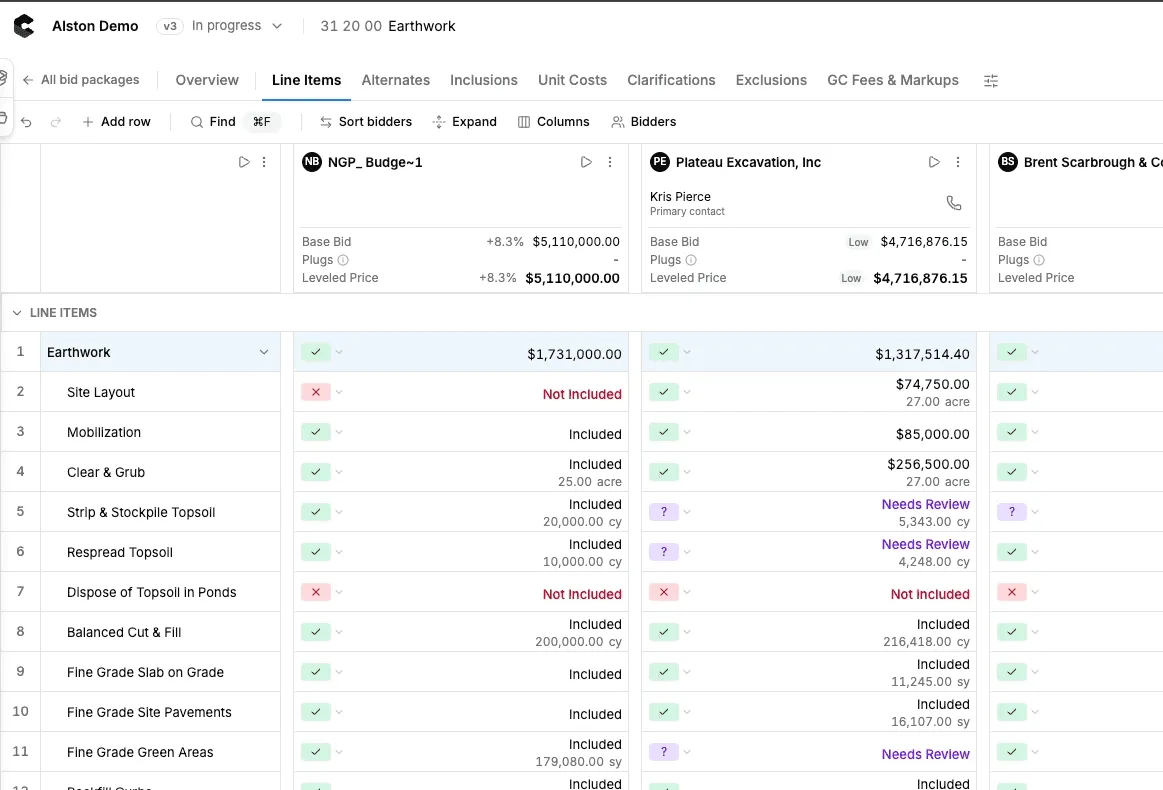
Bid leveling FAQ
What is bid leveling?
How is this different from a bid tab in Excel?
Do we have to change how we solicit bids?
Can estimators override what the software does?
What file types can you level?
How much does AI bid leveling software cost?
Is there free bid leveling software?
How long does it take to level a package?
Keep reading